
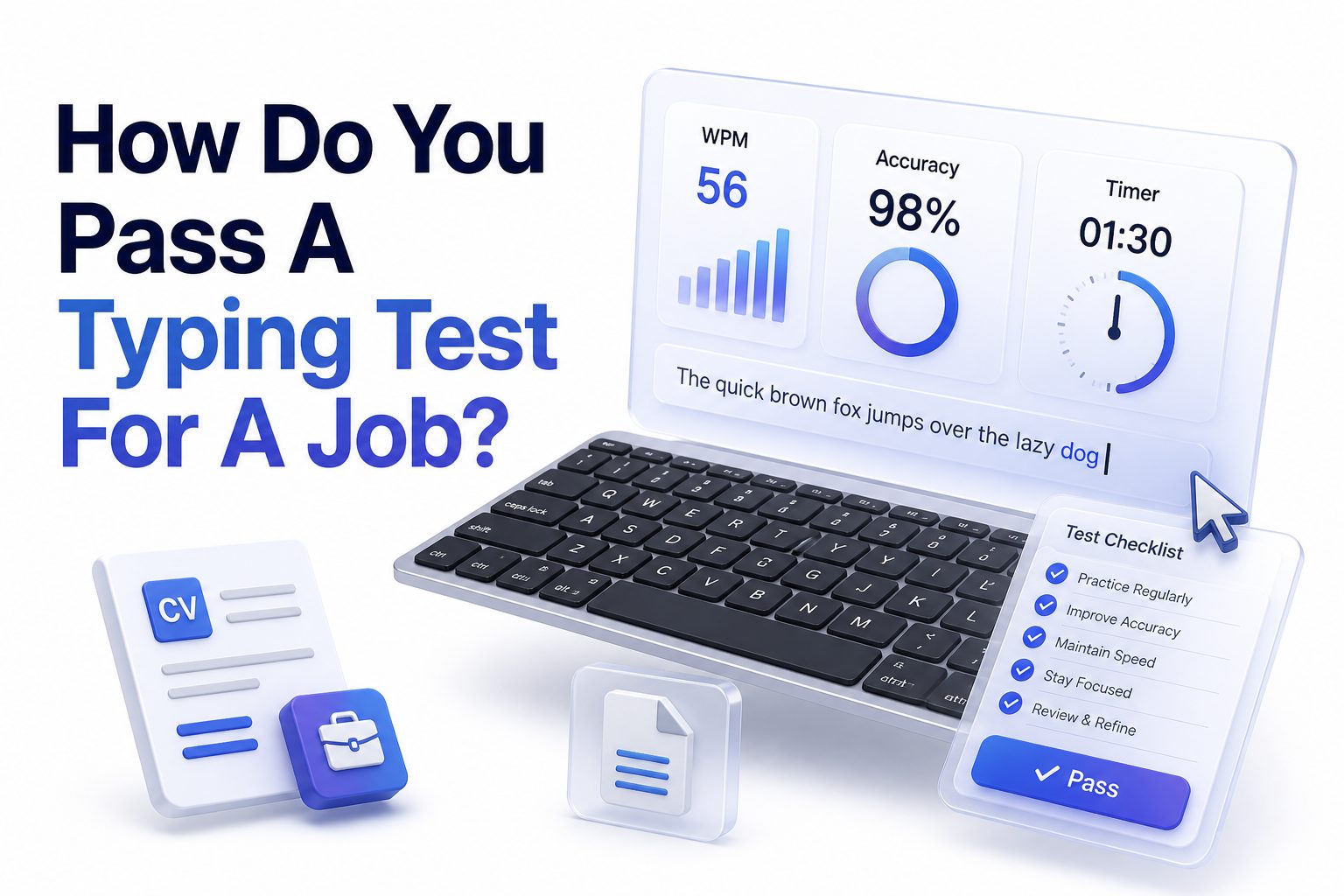
Passing a typing test can feel simple until a job offer depends on it. Many roles in administration, customer service, data entry, transcription, healthcare support, legal support, and remote operations expect candidates to type quickly without constant errors. If you are asking, how do you pass a typing test for a job?, the answer is not just “type faster.” Employers usually care about accuracy, consistency, formatting, focus, and your ability to work under light pressure.
A strong score comes from preparation, not luck. You need to know the required words per minute, practice with realistic tests, fix bad typing habits, and stay calm when the timer starts. The good news is that most people can improve noticeably with focused practice over a few days or weeks. This article breaks down what hiring teams look for, how typing tests are scored, and how to prepare in a practical way.
Know What the Employer Is Testing
Most job typing tests measure words per minute, often called WPM, and accuracy percentage. A candidate who types 55 WPM with 98 percent accuracy may be more valuable than someone who types 70 WPM with many mistakes. Employers want speed, but they also want clean work.
The test may include plain text, numbers, punctuation, names, addresses, or industry-specific terms. Data entry tests may score keystrokes per hour, while transcription roles may focus on listening and typing together. Read the job description carefully so your practice matches the role.
Set a Realistic Target Before You Practice
A general office role may require 35 to 45 WPM, while customer support and administrative jobs often prefer 45 to 60 WPM. Data entry, legal assistant, medical typing, and transcription jobs may expect higher accuracy and stronger formatting discipline.
Before practicing, take a baseline test without warming up. Record your WPM, accuracy, and common error types. This gives you a clear starting point and prevents wasted practice. Your goal should be slightly above the employer’s requirement, not just barely meeting it.
Typing Test Preparation Checklist
- Take a baseline typing test before training
- Confirm the required WPM and accuracy for the job
- Practice with timed tests similar to the employer’s format
- Track your most common mistakes
- Use proper finger placement and posture
- Practice numbers, punctuation, and capitalization
- Warm up before the real test
- Prioritize accuracy before pushing speed
- Use the same keyboard style when possible
- Rest your hands before test day
Build Accuracy Before Chasing Speed
Typing faster only helps if the final text is usable. Every correction costs time, breaks rhythm, and lowers confidence. Start by slowing down enough to hit the right keys cleanly. Once your accuracy stays near 97 to 99 percent, speed usually improves naturally.
Accuracy practice should feel deliberate. Focus on common letter combinations, capital letters, commas, periods, numbers, and symbols. If you regularly confuse certain keys, practice those patterns separately. Clean typing is a skill, and repetition makes it more dependable under pressure.
Use Proper Typing Technique
Good technique reduces strain and improves consistency. Keep your fingers on the home row, use all fingers, and avoid looking down at the keyboard. Your wrists should stay relaxed, your shoulders should not tense up, and your screen should be at a comfortable height.
Bad habits can work for casual typing but fail during timed tests. Two-finger typing, heavy key pressing, and frequent keyboard glancing slow you down. If your current method limits your score, spend practice time rebuilding technique before trying to type at full speed.
Speed Versus Accuracy Comparison
Speed Focus:
Typing quickly may raise your WPM, but it can create more errors if your control is weak. This approach works only after you already have reliable accuracy.
Accuracy Focus:
Typing cleanly may feel slower at first, but it creates better scores over time. Employers often value fewer corrections more than raw speed.
Best Approach:
Train accuracy first, then increase pace gradually. A balanced score looks more professional and is easier to repeat during a real hiring test.
Practice With Realistic Test Material
Many candidates practice only with simple paragraphs, then struggle when the job test includes numbers, names, punctuation, or business language. Choose practice passages that match the actual role. For data entry, include invoices, addresses, dates, product codes, and customer records.
For administrative roles, practice emails, reports, meeting notes, and common office phrases. For medical or legal positions, practice unfamiliar terms carefully. Realistic practice builds confidence because your hands and eyes get used to the kind of text you will actually see.
Train in Timed Sessions
Typing tests are stressful because they are timed. Practicing without a timer helps technique, but timed drills prepare your focus. Use one-minute, three-minute, and five-minute tests. Short tests build quick rhythm, while longer tests train consistency and hand endurance.
Do not repeat the same passage too often. Memorizing text can inflate your score and hide weak spots. Rotate test material so your results reflect real typing ability. Track your average score, not just your best score, because employers care about repeatable performance.
Helpful Practice Routine
- 5 minutes: Warm up with easy text
- 10 minutes: Accuracy-focused typing at a controlled pace
- 10 minutes: Timed WPM practice
- 5 minutes: Numbers and punctuation drills
- 5 minutes: Review mistakes and repeat difficult words
For more support, review [Internal Link: typing speed practice tips] and build a weekly routine that fits your job target.
Reduce Common Typing Errors
Most typing errors come from rushing, poor finger positioning, weak punctuation habits, or panic after one mistake. Common errors include missing capital letters, double spaces, swapped letters, skipped words, and wrong punctuation. Spotting your pattern is the fastest way to improve.
After each practice test, review errors before starting another test. If you keep missing commas or typing “from” as “form,” make a short drill with those exact patterns. Targeted correction works better than repeating random typing tests for hours.
Improve Focus During the Test
A job typing test rewards steady attention. Read slightly ahead of where you are typing, but do not scan too far ahead. Keep your eyes on the source text and trust your fingers. Looking back and forth too often breaks rhythm.
If you make a mistake, correct it only if the test allows corrections and if doing so helps your score. Some tests penalize backspacing, while others expect clean final copy. Know the rules before you start so you do not lose points through hesitation.
Common Mistakes to Avoid
- Starting the test without warming up
- Typing too fast in the first 30 seconds
- Ignoring accuracy percentage
- Practicing only easy text
- Looking at the keyboard too often
- Changing keyboards right before the test
- Sitting with tense shoulders or bent wrists
- Panicking after one mistake
- Skipping instructions before the timer starts
- Measuring progress by one lucky score
Prepare Your Keyboard and Workspace
Your equipment matters more than people think. A sticky key, cramped desk, poor chair height, or unfamiliar keyboard can lower your score. If the employer lets you take the test remotely, use a reliable keyboard and test it beforehand.
Sit with both feet flat, elbows close to your body, and wrists neutral. Remove distractions from your desk. Close extra browser tabs and silence notifications. A clean workspace helps your brain stay on the task instead of reacting to interruptions.
Practice With Numbers and Special Characters
Many job tests include more than ordinary sentences. You may need to type phone numbers, ZIP codes, dates, prices, order numbers, usernames, and punctuation. These characters slow many candidates because they practice only letters.
Spend time with the number row, decimal points, slashes, hyphens, parentheses, and capital letters. If the job involves spreadsheets or records, accuracy with numbers is essential. One wrong digit can matter more than several small spelling errors in some roles.
Typing Areas Worth Practicing
Letters and Words:
Build rhythm with common business vocabulary, short sentences, and longer paragraphs.
Numbers:
Practice phone numbers, dates, currency, percentages, and ID codes.
Punctuation:
Work on commas, periods, colons, semicolons, apostrophes, and quotation marks.
Formatting:
Practice line breaks, tabs, spacing, capitalization, and copying structured text.
Use Online Typing Tests Wisely
Online typing tests are useful, but not all of them match job assessments. Some use random words, while others use full paragraphs or business content. A job test may require exact copying, so practice with tools that score accuracy clearly.
Do not rely on one platform alone. Try several test styles and track your averages. If you want focused improvement, use [Internal Link: online typing test for employment] as part of your preparation and compare results across different formats.
Learn the Rules Before the Test Starts
Every typing test has its own scoring rules. Some count corrected mistakes against you. Others lower your WPM only when errors remain. Some stop at the first wrong word, while others allow you to continue. Read all instructions before pressing start.
If you are taking the test through an employer platform, check whether copy-paste is disabled, whether backspace is allowed, and whether the test is case-sensitive. These details affect strategy. A few seconds spent reading instructions can protect your final score.
Test Rule Questions to Check
- Is accuracy scored separately from WPM
- Are corrected mistakes counted
- Is backspace allowed
- Is capitalization required
- Are numbers and punctuation included
- Is the test one minute, three minutes, or longer
- Does the test use random words or real text
- Can you use your own keyboard
- Is there a practice round
- Are retakes allowed
Control Nerves on Test Day
Nerves can make your hands feel stiff and your mind rush. Before the test, take a short warm-up and breathe slowly for a minute. Do not start cold. The first few seconds set your rhythm, so begin at a controlled pace.
If your hands shake or you make an early mistake, keep going. One mistake rarely ruins the entire score. The bigger danger is overreacting and losing rhythm. Stay steady, read carefully, and let your practice carry the work.
Avoid Last-Minute Overtraining
Practicing for hours right before the test can tire your hands and reduce focus. Short, sharp practice sessions work better. On test day, do a light warm-up, review the rules, and stop before fatigue appears.
The night before, avoid changing your keyboard, posture, or typing style. Last-minute experiments create confusion. Trust the routine you practiced. Your goal is to repeat a stable performance, not chase a personal record under pressure.
Test-Day Tips List
- Sleep well the night before
- Warm up for five to ten minutes
- Check your keyboard and internet connection
- Read the instructions twice
- Start at a controlled pace
- Keep your eyes on the text
- Correct errors only when it helps
- Stay relaxed through early mistakes
- Watch accuracy, not just speed
- Finish strong without rushing wildly
Practice for the Specific Job Type
A data entry typing test often values exact numbers, codes, and field order. Speed matters, but accuracy matters more because mistakes can damage records. Practice copying structured data, tables, addresses, inventory codes, and customer details.
Customer service tests may include chat responses, email-style passages, and grammar-sensitive text. Administrative tests may focus on professional documents. Transcription tests may require listening, pausing, and formatting. Match practice material to the daily tasks of the role.
Data Entry and Administrative Roles
For data entry jobs, practice blocks of names, phone numbers, street addresses, dates, and invoice totals. Train yourself to check characters as you type. A high WPM score is less impressive if digits are wrong or fields are misplaced.
For administrative roles, practice clean paragraphs, email text, meeting notes, and formal language. Employers may expect strong capitalization, punctuation, and spacing. Your typing should look polished because the work often represents the company internally and externally.
Customer Support and Remote Jobs
Customer support roles often require fast, accurate replies while reading customer details. Practice typing complete sentences with a professional tone. You may also need to move between tools, so clean rhythm and mental focus both matter.
Remote jobs may use online assessment platforms that monitor time, idle pauses, and errors. Test your browser, keyboard, and internet connection before the assessment. Close messaging apps and notifications so nothing interrupts your concentration during the timed section.
Job Type Practice Table
Job Type | What to Practice | Common Target
Data Entry | Numbers, codes, names, addresses | High accuracy, steady speed
Administrative Assistant | Emails, reports, meeting notes | 45-60 WPM with clean formatting
Customer Support | Chat replies and clear sentences | Fast typing with low errors
Transcription | Listening and typing together | Accuracy, grammar, and endurance
Legal or Medical Support | Specialized terms and formatting | Precision with unfamiliar language
Track Progress the Right Way
Typing progress is not always linear. Some days your score will dip because you are fixing technique or practicing harder material. Track weekly averages instead of obsessing over one test result. This gives a more honest view of improvement.
Record WPM, accuracy, test length, and material type. Note whether the test included numbers or punctuation. A 52 WPM score on difficult business text may be better preparation than 70 WPM on easy random words.
Create a Short Improvement Plan
If your test is in one week, practice twice a day for short sessions. Focus first on accuracy, then timed performance. If your test is tomorrow, avoid rebuilding your typing style. Work on warm-ups, instructions, posture, and calm pacing.
If you have a month, you can make deeper changes. Learn proper touch typing, reduce keyboard glancing, and add specialized drills. A longer timeline lets you improve both raw speed and professional consistency without burning out.
Simple Weekly Practice Plan
Day 1:
Take a baseline test and list your common mistakes.
Day 2:
Practice accuracy drills and home row control.
Day 3:
Add timed tests with business paragraphs.
Day 4:
Practice numbers, punctuation, and capitalization.
Day 5:
Take mixed tests and compare averages.
Day 6:
Practice job-specific material.
Day 7:
Do a light review and avoid heavy overtraining.
Use Typing Tools Without Depending on Them
Typing websites, apps, and browser-based tests can help you practice efficiently. Look for tools that show both WPM and accuracy, highlight mistakes, and offer different text types. A clean progress report helps you see what needs attention.
Still, tools are only useful if you practice with intention. Repeating tests while ignoring mistakes will not build job-ready skill. After each session, review what went wrong, slow down briefly, and repeat the pattern correctly.
Know When to Slow Down
Many candidates fail typing tests because they rush early. A slightly slower pace with high accuracy often produces a stronger final score. If you notice repeated errors, reduce speed for a few lines and regain control.
Speed comes from rhythm, not force. Pressing keys harder or faster than your hands can manage creates tension. Let your fingers move smoothly. The best test takers look calm because their pace is controlled and repeatable.
Signs You Should Slow Down
- Your accuracy drops below the required score
- You keep correcting the same word
- You are skipping punctuation
- Your shoulders or hands feel tense
- You are looking at the keyboard too often
- You lose your place in the source text
- You make more mistakes near the end
- You feel rushed instead of steady
Use the Final Minutes Well
If the test is longer than one minute, your final stretch matters. Fatigue can cause sloppy errors near the end. Keep your breathing steady and avoid speeding up wildly unless your accuracy is still strong.
When the test allows corrections, use the last few seconds wisely. Fix obvious errors only if you can do so quickly. Do not create new mistakes by jumping around in panic. A clean finish can protect both WPM and accuracy.
After the Test, Review Your Result
If you pass, save or note your score if the platform allows it. Some employers may ask about your typing speed later. Knowing your result helps you speak confidently during interviews and compare future applications.
If you do not pass, review the score carefully. Was speed too low, or did accuracy hurt the result? Those are different problems. Speed needs rhythm training, while accuracy needs slower practice and targeted correction.
Post-Test Review Checklist
- Record your WPM and accuracy
- Note the test length
- Identify whether errors were letters, numbers, or punctuation
- Check whether nerves affected your pace
- Compare your result with the job requirement
- Adjust practice based on the weakest area
- Ask whether a retake is available when appropriate
- Keep practicing with similar material
Conclusion
Passing a typing assessment is mainly about preparation, control, and matching your practice to the actual job. Employers are not looking for flashy speed alone. They want someone who can produce accurate text, handle details, follow instructions, and stay steady when work is timed.
If you have been wondering how do you pass a typing test for a job?, start by learning the required score, measuring your current level, and practicing with realistic material. Build accuracy first, then raise speed gradually. Work on posture, keyboard familiarity, numbers, punctuation, and focus. On test day, warm up, read the instructions, begin at a controlled pace, and avoid panic after small mistakes.
A typing test is a practical screening tool, not a mystery. With a focused routine and calm execution, you can raise your score and walk into the assessment with a much stronger chance of passing.
FAQ
What is a good typing speed for a job?
A good typing speed depends on the role. Many office jobs expect 40 to 50 WPM, while data entry, transcription, and support roles may require more. Accuracy near 97 percent or higher is usually important.
Is accuracy more important than typing speed?
Accuracy is often more important because errors reduce productivity and may lower your final score. A balanced result is best. Employers usually prefer steady, clean typing over fast work that needs constant correction.
How long should I practice before a typing test?
If possible, practice for at least one to two weeks. Short daily sessions are better than one long session. If the test is soon, focus on warm-ups, accuracy, posture, and the exact test format.
Can I pass a typing test without touch typing?
Yes, some people pass without formal touch typing, but it is harder to improve consistently. Touch typing reduces keyboard glancing, improves rhythm, and helps you stay focused on the text during timed tests.
What should I do right before the test?
Warm up for five to ten minutes, check your keyboard, remove distractions, and read the instructions carefully. Start the test at a steady pace instead of rushing. Staying calm helps protect both speed and accuracy.
0 Comments