
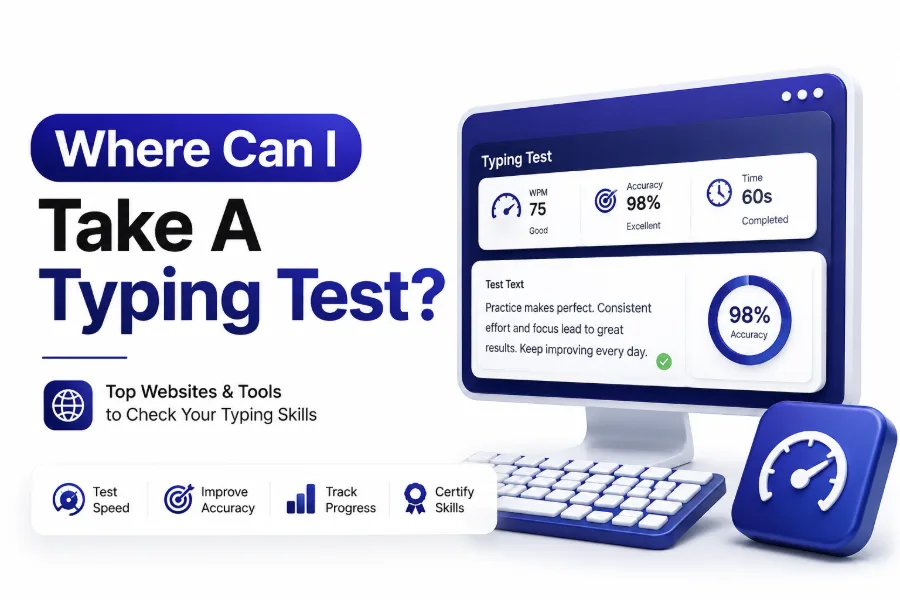
If you have ever wondered where can i take a typing test, you are probably looking for more than a random speed score. Typing tests are used for jobs, school assignments, office training, data entry roles, administrative work, coding practice, and personal improvement. The right test can show how fast you type, how accurate you are, and whether your keyboard skills meet a specific requirement.
Typing speed still matters, even with voice tools and automation. Clear, accurate typing helps you write emails faster, complete forms, handle reports, chat with customers, and work more efficiently across almost any desk-based role. A good typing test gives you a measurable starting point instead of a vague guess.
The best place to take a typing test depends on your goal. A casual online test may be enough for practice, while a job application may require a timed, verified, or proctored assessment. This guide breaks down your main options and helps you choose the most useful test.
Best Places to Take a Typing Test Online
Online typing test websites are the easiest starting point because they are fast, free, and available from any computer. Most let you choose one-minute, three-minute, or five-minute tests, then show your words per minute, accuracy, and error count immediately after completion.
Popular online typing tests are useful for daily practice and quick benchmarking. They usually do not require an account, although saving progress may need one. If you only need to check your current speed or improve over time, an online test is usually the most practical choice.
Typing Tests for Job Applications
Many employers use typing tests when hiring for administrative assistants, receptionists, transcriptionists, customer support agents, clerks, and data entry specialists. These tests often measure both speed and accuracy because fast typing with frequent errors creates extra work and delays.
If an employer asks for a typing certificate or official result, do not rely on a casual website unless it is accepted by the company. Ask whether they require a specific platform, minimum score, test length, or supervised testing process before you submit results.
Quick Places to Start
- Free online typing test websites for casual speed checks
- Career centers for job-related typing certification
- Staffing agencies for employment screening
- Schools and libraries for basic keyboarding assessments
- Community colleges for workforce readiness testing
- Employer-provided portals for official hiring tests
Free Typing Test Websites
Free typing test websites are ideal for people who want a quick answer without paying or scheduling an appointment. These tools often include simple passages, random word drills, number tests, punctuation practice, and timed challenges for different skill levels.
The main limitation is credibility. Free tests are great for practice, but they may not be accepted as proof of ability. If your result is for a resume, application, or official requirement, confirm whether the recipient accepts self-reported scores from that site.
Paid Typing Test Platforms
Paid typing test platforms usually offer more structured assessments, printable certificates, saved results, and sometimes anti-cheating features. These may be helpful if you need documentation for an employer, agency, or professional training program.
Before paying, check what the certificate includes. A useful certificate should show your name, test duration, words per minute, accuracy, date completed, and platform name. Avoid paying for vague results that look no more official than a free screenshot.
Free vs Paid Typing Tests
Free typing tests:
-
- Best for practice and quick measurement
- Usually available without registration
- Good for tracking personal progress
- May not be accepted by employers
Paid typing tests:
- Better for certificates and saved records
- May include more formal score reports
- Often useful for job preparation
- Should be checked for employer acceptance first
Local Career Centers and Workforce Offices
Career centers are one of the better choices when you need a typing test for employment. Many workforce offices offer computer skills assessments, typing evaluations, resume help, and job placement support in the same location.
These offices may also know what local employers expect. If nearby government agencies, hospitals, schools, or staffing firms require certain typing scores, a career center can often point you toward the right test format or certificate.
Public Libraries and Community Programs
Public libraries often provide computer access, digital literacy classes, and sometimes typing practice resources. While not every library offers official typing tests, many can help you access reputable online tools or local workforce services.
Libraries are especially helpful if you do not have a reliable computer, keyboard, or internet connection at home. Practicing on a full-size keyboard in a quiet environment can lead to more accurate results than testing on a cramped laptop or tablet.
Typing Test Preparation Checklist
- Use a full-size keyboard when possible
- Sit with your wrists relaxed and shoulders loose
- Choose a quiet room with minimal distractions
- Take at least two practice tests before the real one
- Focus on accuracy before chasing speed
- Read the test instructions before the timer starts
- Avoid correcting every small mistake if the test penalizes backspacing
- Save or print your results when documentation matters
Schools, Colleges, and Training Centers
Schools and colleges may offer typing tests through business classes, computer labs, adult education programs, or career readiness departments. These settings are useful because the testing environment is usually more controlled than a casual home setup.
Community colleges may also include typing assessments in office administration, medical billing, legal assistant, or information technology programs. If you are already enrolled, ask the career services office whether they provide typing speed verification for students.
Staffing Agencies and Temp Agencies
Staffing agencies often test applicants before placing them in office, clerical, receptionist, call center, or data entry roles. Their assessments may be tied directly to available jobs, so results can influence which positions you qualify for.
These tests are usually more practical than decorative. You may be asked to type names, addresses, numbers, emails, or business text instead of random paragraphs. Accuracy matters because agencies want candidates who can handle real workplace tasks with few corrections.
Common Typing Test Requirements
Administrative roles:
-
- Often require 35 to 50 WPM
- Accuracy is usually more important than raw speed
- Tests may include business documents or emails
Data entry roles:
-
- May require numeric keypad testing
- Accuracy standards can be strict
- Some tests measure keystrokes per hour
Transcription roles:
-
- Often require higher speed and careful listening
- Grammar and formatting may be evaluated
- Specialized tests may include audio samples
Customer support roles:
- Usually focus on fast written replies
- Clear spelling and punctuation matter
- Tests may be combined with chat simulations
Employer Testing Portals
Some companies use their own testing portals during the hiring process. These tests may be sent by email after you apply or completed during an interview. They are usually the most important typing tests because they are tied directly to the job decision.
When using an employer portal, follow instructions exactly. Do not refresh the page, switch devices, or open extra tabs unless allowed. If you have technical problems, document what happened and contact the employer promptly instead of retaking the test without permission.
Government and Civil Service Testing
Government clerical jobs sometimes require formal typing scores, especially for administrative, court, law enforcement support, and records positions. Requirements vary by city, county, state, and department, so always read the job posting carefully.
Some agencies accept certificates from approved testing centers, while others require testing through their own civil service system. Pay close attention to minimum WPM, accuracy percentage, certificate age, and whether the test must be proctored.
What to Check Before Taking an Official Test
- Accepted testing providers
- Minimum words per minute
- Required accuracy percentage
- Test duration
- Certificate expiration period
- Whether the test must be supervised
- Whether backspacing is allowed
- Whether numbers or symbols are included
- Submission format for results
Typing Tests for Students
Students may need typing tests for computer classes, online learning programs, scholarship requirements, or personal skill tracking. For younger students, the goal is often steady improvement rather than reaching a professional typing speed immediately.
A student typing test should match the learner’s age and reading level. Difficult passages can make results misleading because the test may measure vocabulary and reading comfort more than keyboarding skill. Short, repeated practice sessions work better than occasional long tests.
Typing Tests for Remote Workers
Remote workers often rely on typing speed for email, project updates, chat, documentation, scheduling, and customer communication. Even when a job does not list a typing requirement, better keyboarding skills can reduce daily friction and improve response time.
If you work remotely, test yourself in the same setup you use for work. Keyboard layout, desk height, monitor position, and background noise all affect results. A realistic test environment gives you a more useful score than an ideal setup you never use.
Typing Speed Benchmarks
Beginner:
-
- Around 20 to 30 WPM
- Suitable for basic personal computer use
- Accuracy may still fluctuate
Average office user:
-
- Around 40 to 55 WPM
- Strong enough for many administrative tasks
- Accuracy should stay near 95 percent or higher
Advanced typist:
-
- Around 60 to 80 WPM
- Useful for high-volume writing or support work
- Errors should remain low under time pressure
Professional specialist:
- 80 WPM and above
- Common among transcriptionists, writers, and heavy keyboard users
- Accuracy and stamina matter as much as speed
How Typing Tests Measure Speed
Most typing tests measure words per minute, often shortened to WPM. One standard word is typically counted as five characters, including spaces. This method keeps scoring consistent because real words vary widely in length.
Accuracy is usually calculated by comparing what you typed against the original text. Some tests subtract errors from your final score, while others show gross speed and net speed separately. Net speed is generally more useful because it reflects usable typing performance.
How Accuracy Affects Your Score
A high typing speed is less impressive when accuracy is poor. In real work, every mistake can require correction, cause confusion, or create data problems. Employers often prefer a slightly slower typist who produces clean work.
For most professional settings, aim for at least 95 percent accuracy. If your accuracy is lower, slow down during practice until your hands learn better control. Speed tends to rise naturally once accuracy becomes consistent.
Speed and Accuracy Comparison
60 WPM with 90 percent accuracy:
-
- Looks fast at first
- Creates many corrections
- Less useful for professional tasks
50 WPM with 98 percent accuracy:
-
- Produces cleaner work
- Saves editing time
- Often better for office roles
40 WPM with 99 percent accuracy:
- Reliable for many entry-level roles
- Good foundation for improvement
- Strong starting point for daily practice
One-Minute vs Five-Minute Typing Tests
A one-minute test is useful for a quick snapshot, but it may not show how well you type over time. Some people perform well in short bursts but lose accuracy after several minutes of steady typing.
A five-minute test gives a better picture of workplace typing ability. Many jobs require sustained typing, not a quick sprint. If you are preparing for employment, practice with both short and longer tests so your results are more balanced.
Text, Numbers, and Data Entry Tests
Standard typing tests usually use sentences or paragraphs, but data entry tests may include numbers, codes, dates, names, addresses, and forms. These require different skills because the rhythm is less predictable than regular text.
If you are applying for a data-heavy role, practice numeric keypad typing separately. Many applicants perform well on paragraph tests but slow down when entering numbers or mixed character strings. Job-specific practice gives a more accurate view of readiness.
Best Test Type by Goal
For casual practice:
-
- Use free one-minute and three-minute tests
- Track progress weekly
- Focus on accuracy trends
For office jobs:
-
- Use five-minute paragraph tests
- Save score reports
- Practice business-style text
For data entry:
-
- Use numeric keypad drills
- Practice names, addresses, and codes
- Measure accuracy carefully
For transcription:
- Use audio typing tests
- Practice punctuation and formatting
- Build stamina with longer sessions
How to Choose a Reliable Typing Test
A reliable typing test should show clear scoring, realistic text, and both speed and accuracy. It should not use confusing passages, hidden rules, or distracting layouts that interfere with normal typing.
Look for a test that lets you repeat practice without forcing unnecessary signups. For official needs, choose a provider that offers a dated score report or certificate. You can also compare your results across two or three platforms for consistency.
What to Avoid When Testing
Avoid testing on a phone or tablet if your goal is keyboard typing. Mobile typing uses different mechanics, and the result will not reflect your ability on a standard computer keyboard.
You should also avoid taking a serious test while tired, rushed, or distracted. Background noise, poor posture, and an unfamiliar keyboard can reduce your score. A fair test should measure skill, not avoidable setup problems.
Reliable Test Checklist
- Shows WPM and accuracy clearly
- Offers realistic text or workplace-style content
- Explains scoring rules
- Allows enough time for a meaningful result
- Provides a dated report when needed
- Works smoothly in your browser
- Does not overload the screen with distractions
- Matches your actual typing goal
How to Improve Before Retesting
The fastest way to improve is to practice accuracy first. Many people try to force speed, then train themselves into sloppy habits. Slow, clean repetition helps your fingers learn dependable movement.
Use short daily sessions instead of rare marathon practice. Ten to fifteen minutes a day is enough for steady gains. Mix paragraph typing, punctuation, capitalization, and number drills so your improvement carries over to real tasks.
Common Mistakes That Lower Scores
Looking at the keyboard too often is one of the biggest barriers to speed. It interrupts rhythm and slows your ability to read ahead. Touch typing takes patience, but it pays off once your hands know the keys.
Another common mistake is correcting every error immediately. Some tests penalize backspacing, while others count final accuracy only. Learn the rules before starting. During practice, work on reducing mistakes rather than constantly repairing them.
Practical Typing Improvement Tips
- Practice at the same time each day
- Keep your eyes on the screen
- Use all fingers, not just a few
- Slow down when errors increase
- Practice punctuation and capital letters
- Add number drills if your job needs them
- Retest weekly instead of hourly
- Track both speed and accuracy
Should You Put Typing Speed on a Resume
Typing speed belongs on a resume when it is relevant to the job. Administrative, data entry, transcription, clerical, legal support, and customer service roles are common examples. For unrelated jobs, it may not add much value.
If you include typing speed, be honest and specific. A clear entry such as “Typing speed: 62 WPM with 97 percent accuracy” is stronger than a vague claim like “fast typist.” If you have an accepted certificate, mention it briefly.
How Often to Retake a Typing Test
If you are practicing, retake a typing test once or twice a week to track progress. Testing too often can become frustrating because scores naturally fluctuate from one attempt to another.
For official use, retake the test only when your score has meaningfully improved or when a certificate has expired. Some employers care about recent results, so check whether they require testing within the last 30, 60, or 90 days.
Resume and Job Application Tips
- Include typing speed only when it supports the role
- List both WPM and accuracy when available
- Avoid inflating your score
- Keep a copy of official certificates
- Use recent results for applications
- Practice on a full-size keyboard before employer tests
- Match your practice to the job’s actual typing tasks
Online Safety and Privacy
Typing tests may ask for your name or email if you want to save results. For casual practice, you usually do not need to share personal information. Use caution with sites that request unnecessary details before showing basic scores.
Do not type private information into practice tests. Avoid using real customer data, passwords, addresses, or confidential documents for typing drills. If you need realistic practice, use sample text, public passages, or made-up business examples instead.
Accessibility and Comfort
A good typing test should work for different users, including people who need larger text, keyboard adjustments, screen readers, or additional time. If you need accommodations for an official test, ask before the testing date.
Comfort also affects performance. Chair height, wrist position, monitor distance, and lighting can change your results. Small setup improvements can reduce strain and help you type more consistently, especially during longer tests.
Safe Testing Habits
- Use trusted websites
- Avoid sharing unnecessary personal data
- Do not type confidential information
- Check whether results are public or private
- Use a secure internet connection
- Ask about accommodations before official testing
- Stop if you feel wrist or hand pain
- Keep practice sessions short and focused
Useful Internal Resources
If you are building broader computer skills, pair typing practice with workplace software training. Faster typing is more valuable when you can also format documents, manage spreadsheets, and communicate clearly through email.
You may also want to review [Internal Link: computer skills for job applications] or [Internal Link: data entry typing practice] if your typing test is connected to employment. These related skills often appear together in office and remote job requirements.
Choosing the Right Typing Test for Your Situation
The best typing test is the one that matches your purpose. If you are curious about your current ability, a free online test is enough. If you need proof for work, choose a recognized provider, career center, agency, or employer-approved platform.
Think about what the score will be used for before you begin. A casual score helps you practice, while an official score may affect hiring or placement. Choosing correctly saves time and gives you results that actually matter.
Final Decision Guide
Choose a free online test when:
-
- You want quick practice
- You do not need proof
- You are tracking improvement
Choose a career center when:
-
- You need job-ready documentation
- You want local employment support
- You need access to a computer
Choose an employer portal when:
-
- The company sends a required test
- The score is part of hiring
- Instructions mention a specific platform
Choose a paid certificate when:
- A certificate is accepted by the recipient
- You need a dated report
- The provider clearly explains scoring
Conclusion
Finding the right place to test your typing depends on whether you need practice, proof, or job-specific screening. Free online tests are convenient for checking progress, while career centers, staffing agencies, schools, and employer portals are better for formal results. The key is to match the test format to your real goal.
A strong typing score is not just about speed. Accuracy, comfort, consistency, and the type of material all matter. Someone applying for data entry may need number drills, while an administrative assistant may need clean paragraph typing and business writing speed.
If you are asking where can i take a typing test, start with your purpose first. For personal improvement, use reputable free tools and track your scores weekly. For employment, confirm the accepted provider, required WPM, accuracy standard, and certificate rules before testing.
FAQ
Can I take a typing test for free?
Yes, many websites offer free typing tests with instant WPM and accuracy results. These are best for practice and personal tracking. For job applications, confirm whether the employer accepts free online results before submitting them.
What is a good typing speed for jobs?
Many office jobs expect around 40 to 50 WPM with strong accuracy. Data entry, transcription, and high-volume administrative roles may require higher scores. Always check the job posting because requirements vary by employer and position.
Are online typing certificates accepted by employers?
Some employers accept online certificates, while others require approved testing centers or their own assessment. Before paying for a certificate, ask the employer which providers, test lengths, and score formats they will accept.
How long should a typing test be?
A one-minute test is fine for quick practice, but a three-minute or five-minute test gives a better view of real typing ability. Employers often prefer longer tests because they show consistency and accuracy over time.
How can I improve my typing test score?
Practice daily for short sessions, focus on accuracy first, and use a full-size keyboard. Add punctuation, capitalization, and number drills if needed. Retest weekly so you can track progress without overreacting to normal score changes.
0 Comments